Stop alt-tabbing to check what droid you need next.
A free overlay for Fortnite's Droid Tycoon. It floats over the game, shows your next rebirths with their credit cost, and counts down every timed event. No spreadsheet.
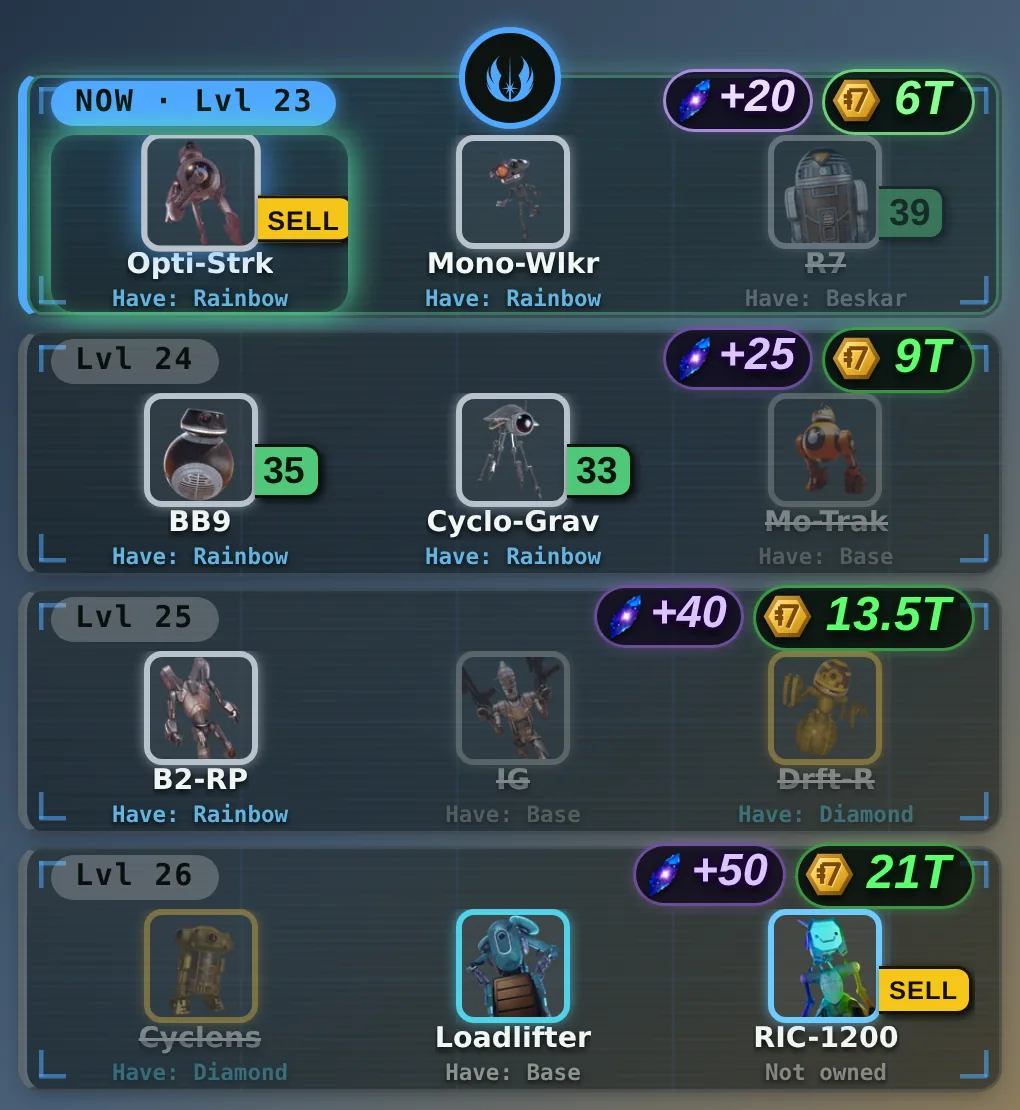
Too much to hold in your head
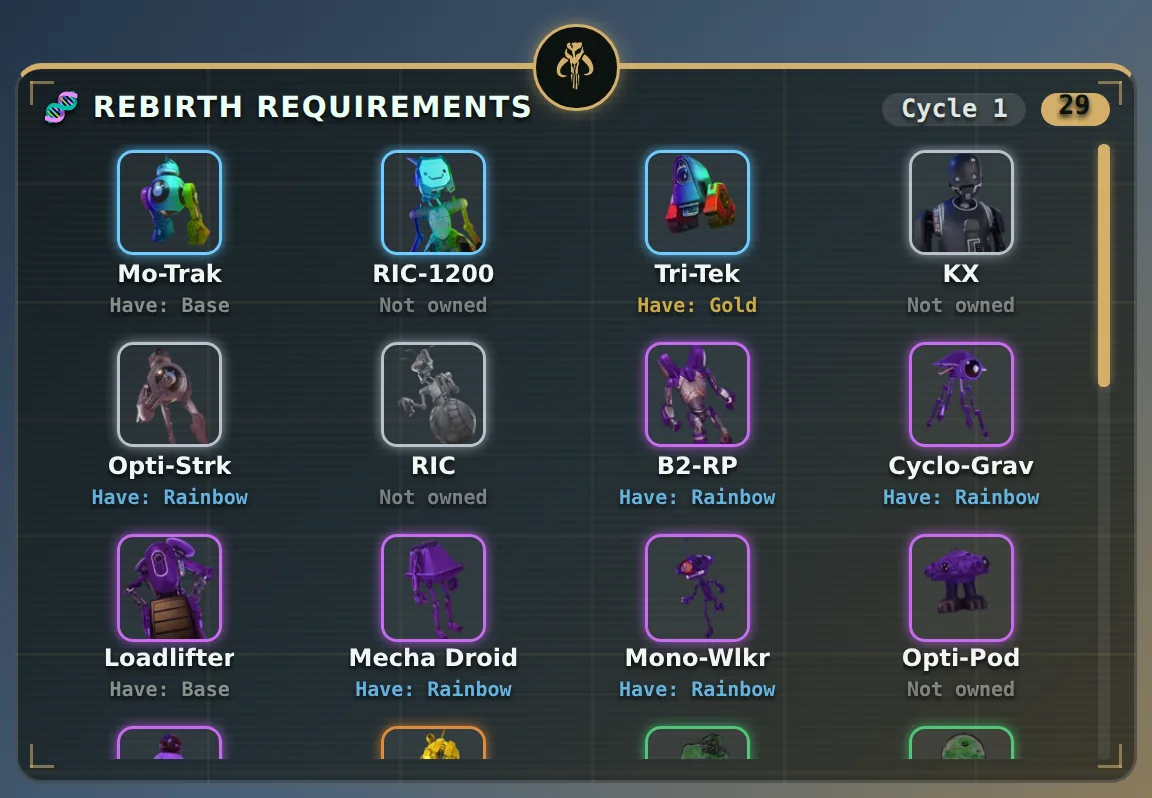
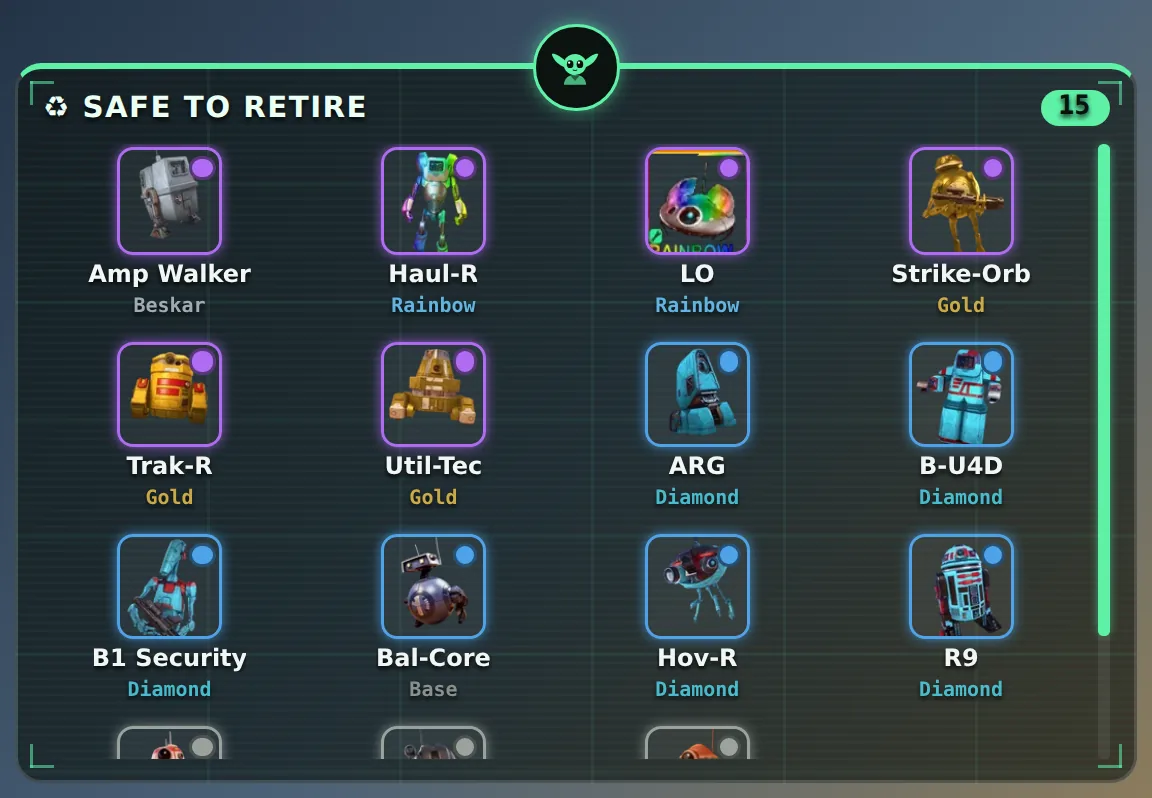
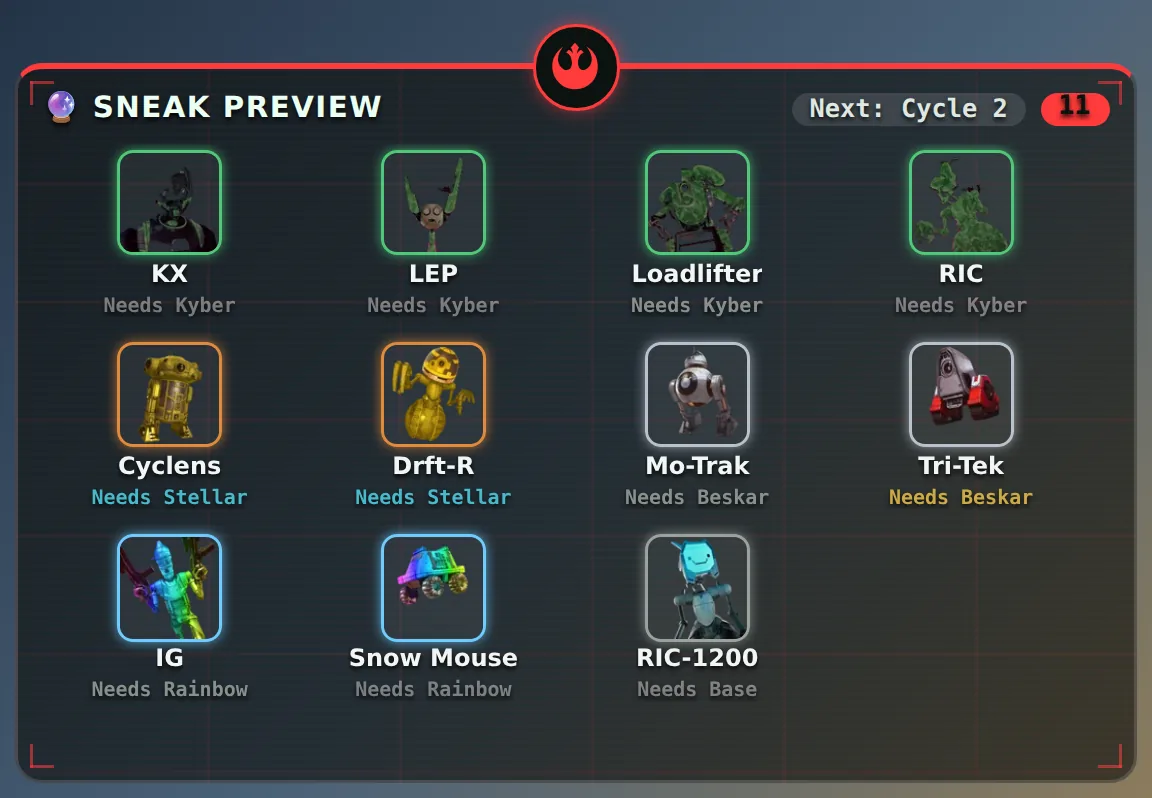
Droid Tycoon has – rebirth cycles of – levels, 3 droids per level, each needing a specific rarity. Log a droid once — by hand, or by letting the app read your screen — and every overlay updates instantly: what you still need, what's safe to retire, and how long until the next timed event.
Four views, one click each
Drag them wherever you like, in the colours you like.
Built for people mid-run
All of it optional, all of it on its own hotkey.
Event timers
Stellar, Mythic, Kyber and the rotating mission, on pure clock maths.
Spawn Alert
Reads the game's spawn feed and flashes a big alert for the droids you want.
Friends
Share a code, see what a friend needs next. No accounts, no server.
Auto-log
Read your Rebirth screen once and it fills in your progress. You confirm before anything saves.
Make it yours
13 app looks, 15 border skins and one-click themes.
Hotkeys
Everything rebindable, plus hide-all for clean screenshots.
Credits & crystals
Rebirth cost and Nova Crystal rewards on every level.
Web tracker
Phone-friendly and installable. Same droid data, nothing to download.
Will this get me banned?
This overlay only ever does three things: reads pixels off your own screen (for the optional OCR buttons), reads your system clock (for the timers), and reads/writes a local file on your own computer (to remember what you've logged). It never touches Fortnite's process, memory, or input in any way — it's just an ordinary always-on-top window sitting over the game, the same category as a stopwatch app or OBS.
- No process injection. Never reads or writes Fortnite's memory.
- No input simulation. Never sends clicks or keystrokes into the game.
- Screen + clock only. Everything it "sees" is optional, manual, and on-screen only.
Download for Windows
Portable .exe: no install, no account. Free, from GitHub Releases.
⬇ DownloadWeb tracker
Same droid data in any browser, nothing to install, and it already has Cycle 6 (the Windows app gets it in its next update). It can't sit over the game or read your screen, so you log by hand, and progress is saved in that one browser.
Open web tracker →Support
I'm not a developer by trade — this was built with a lot of help from AI (Claude), plus a genuinely large amount of my own time testing it live in-game, filing bug reports against my own mistakes, and pushing on fixes until things actually worked right across a bunch of rounds.
If it's saved you some time and you'd like to say thanks for that, there's a completely optional tip jar below. Zero pressure — the tool's free either way, always will be.
☕ Buy me a coffeeCredits & thanks
The droid rarity data this tool relies on came from the Droid Tycoon community's own research, not mine. If you'd rather put support toward the people who actually did that legwork, these are a great place to start:
- gonk.tools — droid database & tools
- droidex.nackz.dev — value list & FAQ
- igeeksblog.com — Droid Tycoon guides
- fandomscoop.com — Droid Tycoon guides